A good desk is not a showroom. It is a work surface that lets you sit down and start without moving things around first. Everything on it should either help you work, help you stay comfortable for hours, or earn its place by meaning something to you. The rest belongs in a drawer or somewhere else entirely.
Here is how to decide what stays, what goes, and how to arrange what is left.

Start with the surface itself
Before buying accessories, look at the desk. It should be deep enough to put a screen at a comfortable distance, usually 24 inches or more, and wide enough to write on paper beside the keyboard. Height matters: a standard desk is around 28 to 30 inches tall, which suits many people but not everyone. If your shoulders rise when you type, the surface is too high for your chair.
A solid, stable desk makes a difference you feel every day. If you are shopping for one, our guide to real wood furniture versus particleboard explains how to tell what you are buying.
What belongs on the desk
The working essentials
- A screen at the right height. A monitor arm, a stand or a laptop riser with a separate keyboard. The top of the screen should sit at or slightly below eye level, about an arm’s length away.
- A keyboard and mouse you like using. Comfort and reliability matter more than features. Mechanical, low-profile or ergonomic split designs are all fine if your wrists stay straight.
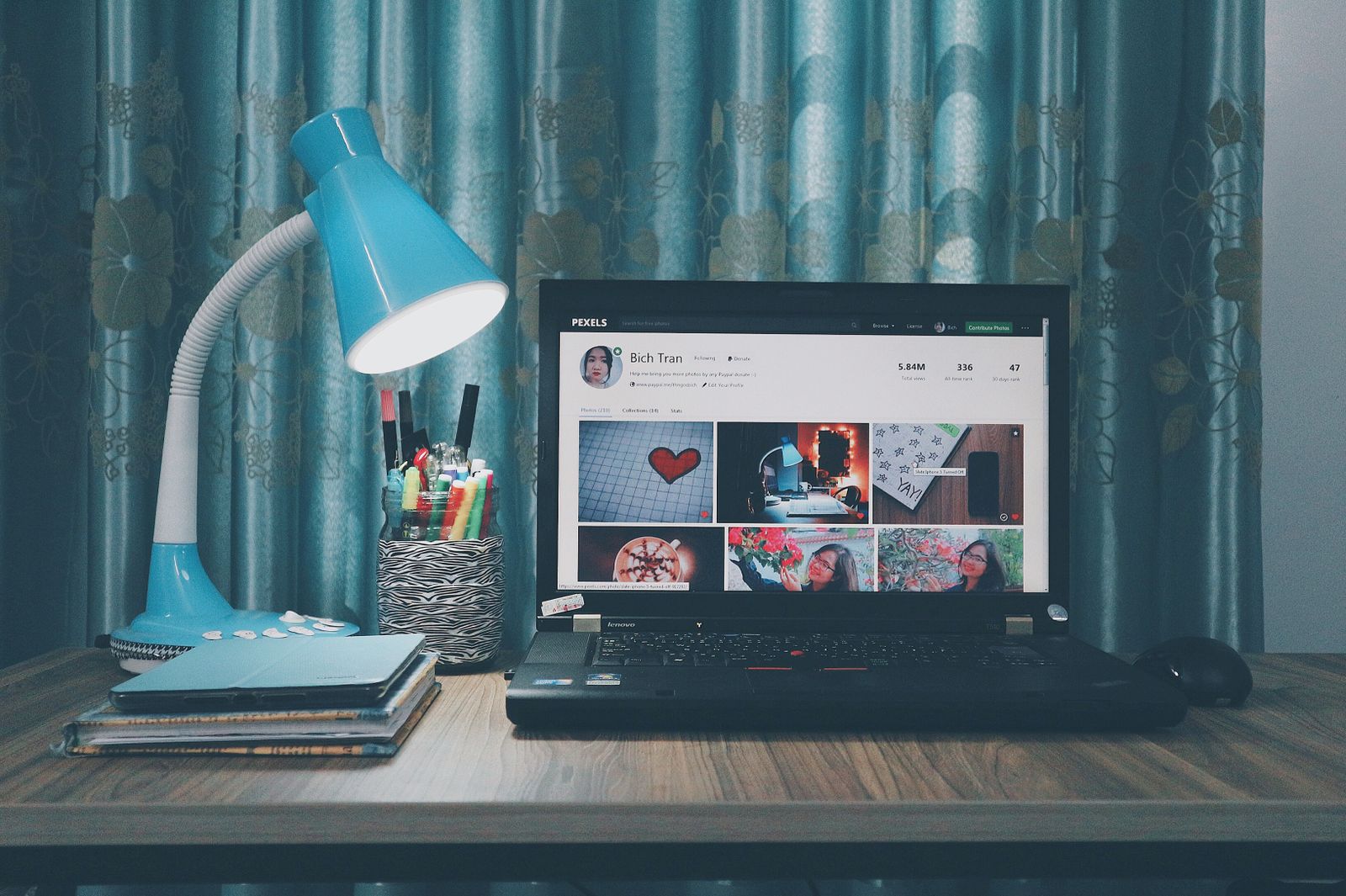
- A real desk lamp. Overhead lighting alone causes glare and shadows. Place the lamp on the side opposite your writing hand.
- A notebook and one good pen. Writing by hand is still the fastest way to think through a problem or capture a call.
- A tray or small dish. One designated spot for keys, earbuds and loose change stops them spreading across the surface.
Personal touches, in moderation
One or two things that are yours make a desk feel like a place you want to sit. A framed photo, a small object from a trip, or a hardy plant such as a snake plant or pothos is enough. More than a few and they become clutter you dust around.
Stationery for personal notes
Keep a small stack of plain cards or letterhead and envelopes within reach. If writing a note means hunting for paper, it rarely happens.
From experience: Thank-you notes and personal notes after meeting someone are etiquette that still matters. Keeping cards on the desk makes it a five-minute habit rather than a project.
What does not belong on it
- Paper piles. Use an inbox tray or a single folder for things that need action, and file or recycle the rest weekly.
- Food and dishes. Crumbs and rings damage surfaces and keyboards. A coaster for one drink is fine.
- Gadgets you do not use. Spare chargers, old phones, broken headphones and promotional desk toys.
- Visible cable tangles. They make a clean desk look messy and catch on things.
- Too many screens or devices for the work you actually do. More hardware does not mean more output.
A quick layout guide
| Zone | What goes there | Why |
|---|---|---|
| Directly in front | Keyboard, mouse, screen | Keeps your posture centered and neutral |
| Within arm’s reach | Notebook, pen, phone, drink | Used often during the day |
| Back corners | Lamp, plant, one or two personal items | Visible but out of the way |
| Drawers or shelf | Stationery, chargers, reference papers | Available without cluttering the surface |
Do not forget the chair
The chair is part of the desk setup, and it is the piece people most often underspend on. A good office chair lets you adjust seat height, has some lower back support, and has a seat deep enough to support your thighs without pressing behind your knees. Armrests are useful if they adjust low enough to slide under the desk edge.
You do not have to buy new. Well-made office chairs from established makers turn up regularly on the secondhand market when companies refit offices, and they are built to be repaired, with replaceable casters, cylinders and cushions. Sit in a chair for several minutes before buying if you can, and check that every adjustment still works.
A dining chair or stool is fine for an hour of email. For a full working day, a proper chair is worth more than any accessory on the desk.
Get the ergonomics roughly right
You do not need expensive furniture to sit well. A few basic adjustments help most people:
- Feet flat on the floor or a footrest, knees roughly level with hips.
- Elbows close to your sides and bent near a right angle when typing.
- Wrists straight, not bent up or resting on a hard edge.
- Screen directly in front of you, not off to one side.
- Stand up and move for a few minutes regularly.
General information, not medical advice. If you have ongoing pain while working, speak with a qualified health professional.
Light the desk properly
Position the desk so a window is beside you rather than directly behind or in front of the screen, which reduces glare and squinting. Add a lamp with a warm-to-neutral bulb for evening work. Our guide to lighting a room in layers covers bulbs and placement in more detail.
Tame the cables
- Mount a power strip under the desk with adhesive or screws.
- Run cables through a cable tray or along a desk leg with reusable ties.
- Use a single charging spot for phone and earbuds.
- Label adapters for devices you rarely use and store them in a drawer.
Reset it every day
The simplest habit is a two-minute reset at the end of each day: clear the surface, file loose paper, put the pen back, and write tomorrow’s first task on the notebook. You start the next morning at a clean desk with a clear first step.
Checklist
- Screen at eye level and arm’s length
- Comfortable keyboard and mouse
- Desk lamp on the side opposite your writing hand
- Notebook, one good pen, a tray for small items
- Cards and envelopes for personal notes
- One or two personal items, no more
- Cables routed and hidden
- Two-minute reset at day’s end
FAQ
How big should a desk be?
For a laptop and paper, around 48 inches wide and 24 inches deep is comfortable. With a large monitor or two screens, look for 55 inches or wider and at least 27 inches deep.
Is a standing desk worth it?
It can help if you like to alternate positions during the day. Standing all day is not the goal; changing position regularly is.
Should I keep a printer on the desk?
Only if you print daily. Otherwise put it on a shelf or cabinet nearby and reclaim the space.
If your desk is part of a larger reading or study space, see building a small but serious book collection.
Updated November 2026. Some links on this site may be affiliate links; see our editorial policy.